
Enabling crossplay on a 7 Days to Die server unlocks the power of true multiplayer connectivity, allowing players across PC, Xbox, and PlayStation to join forces. This seamless integration breaks down platform barriers, creating a more inclusive and dynamic community. By expanding the player base, crossplay makes it easier to find allies, form teams, and experience the thrill of survival together. Whether your friends are on different systems or scattered across time zones, crossplay ensures everyone can come together to fight off the undead—no one gets left behind, no matter their device.
(NOTE: Console clients cannot join servers with mods. Always check if the server that you will be joining has mods. The recommended world size for crossplay is 8192. To know more about World Size, click here.)
Requirement for Crossplay Option
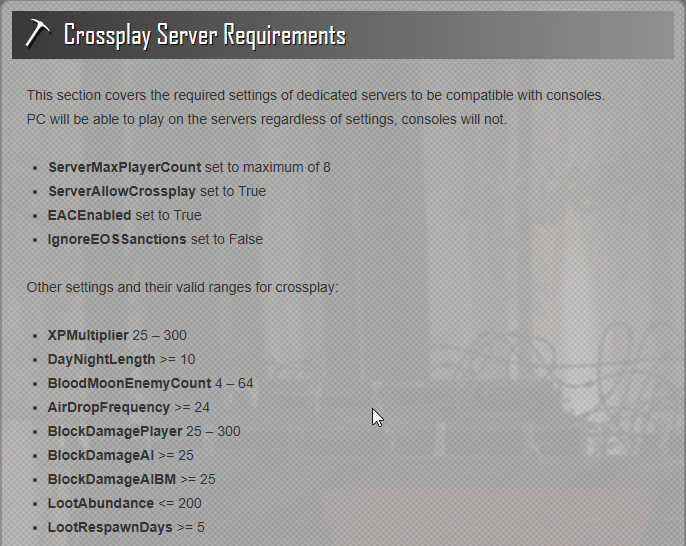
Enabling Crossplay Option on your 7 Days to Die Server
1. Log in to your Game Control Panel.
2. Before making any modifications, stop the server from running by clicking the Stop button.

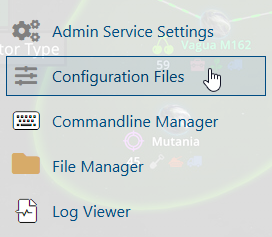
3. Navigate to Configuration Files.
4. In Configuration Files, you will see the platform.cfg file, which is the General Server Config. Click the Config Editor.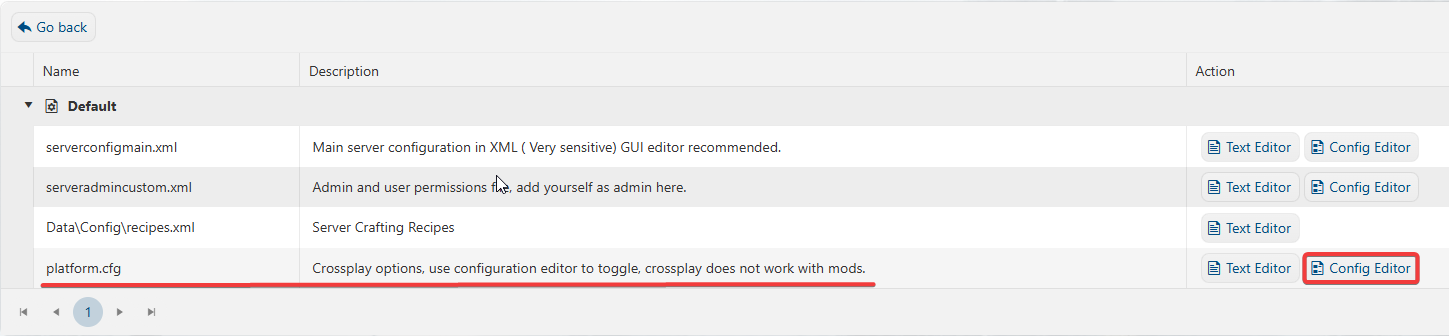
5. On the Config Editor, Enable the Crossplay Option.
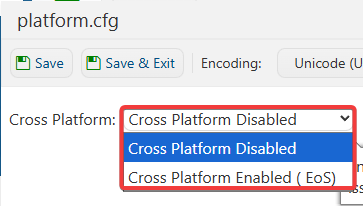
6. After editing, click the Save button to apply the changes.

7. Supported Players for crossplay are only 8 slots. If you have more than 8 players/slots, you need to adjust it by going to the serverconfigmain.xml file and clicking the Text Editor.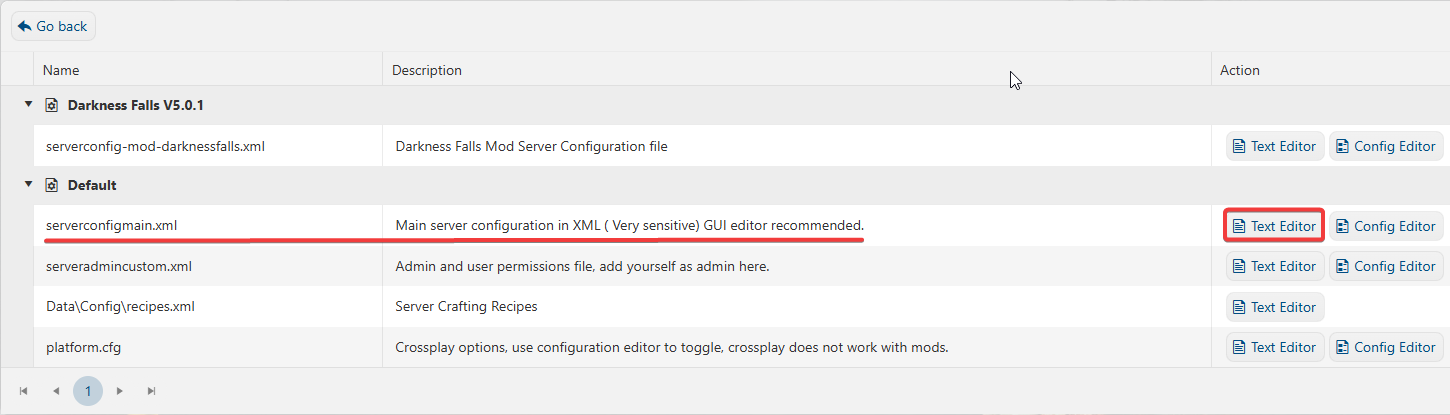
8. In the Text Editor, look for Max Player Count and adjust the number of players to 8.

9. After editing, click the Save button to apply the changes.