

This guide will show you how to Adjust Player Death Penalties on your Necesse Server
Looking for a Necesse game server? Click here to order your server!
Dying in Necesse is an inevitable part of exploring its procedural worlds, tackling challenging bosses, and delving into dangerous dungeons. By default, the game imposes a strict punishment when a player dies, dropping all inventory items on the ground where they fell. On a multiplayer server, this can quickly lead to frustrating corpse runs, lost progression, or lost loot if items burn in lava or expire before a player can return. Fortunately, Necesse provides server administrators with complete control over how death penalties function. Whether you want to create a relaxed, casual environment with keep-inventory enabled, a balanced survival experience where only non-essential materials drop, or a punishing hardcore server where death is permanent, adjusting these parameters is simple. This guide will walk you through the process of modifying player death penalties on your Necesse server, covering both standard server configuration files (server.cfg)and real-time in-game admin commands, so you can tailor the survival experience precisely to your community's playstyle.
Adjusting Player Death Penalties
1. Log in to your Game Control Panel and navigate to your service.
2. Before making any changes, ensure that your server is fully stopped.
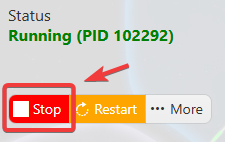
This helps prevent configuration changes from being overwritten or reverted to their default values.
3. Navigate to the Configuration Files tab to access your server’s configuration settings.
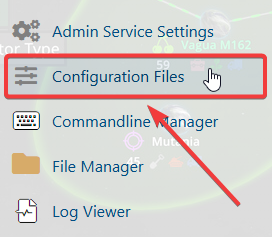
4. In the configuration files, navigate to saves\worlds\Citadel New World\worldSettings.cfg, then select Text Editor to open the file.

5. In the file, locate the deathPenalty setting and update its value to your preferred option.
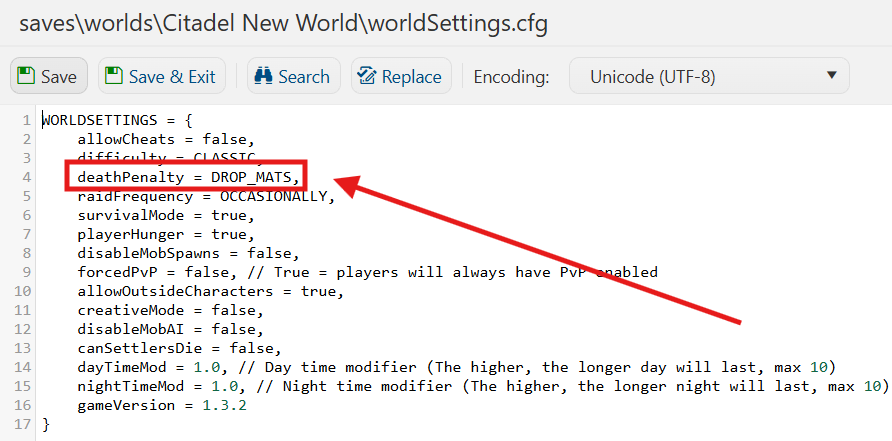
| Value | Description |
|---|---|
NONE |
Nothing occurs upon character death. |
DROP_MATS |
Drop all non-equipment, combat, and special items. |
DROP_MAIN_INVENTORY |
Drop everything except hotbar and equipped items. |
DROP_FULL_INVENTORY |
Drops the entire inventory. |
HARDCORE |
Permanent character death. |
6. Once you have finished editing the settings, click the Save button to apply the changes to your server.